Introduction
Welcome to the official documentation for UNIT3D - a modern, feature-rich private torrent tracker platform built with Laravel.
About UNIT3D
UNIT3D (pronounced “united”) is a powerful, open-source private torrent tracker solution that provides a comprehensive platform for managing and sharing content within your community. Built from the ground up with modern web technologies, UNIT3D combines excellent performance, security, and scalability with a feature-rich interface that rivals other private tracker softwares around the world. UNIT3D is a complete BitTorrent tracker management system designed for private communities. It handles everything from user management, torrent uploads and downloads, peer tracking, to community features like forums, achievements, real-time chat and much more. The codebase follows the MVC (Model-View-Controller) architectural pattern to ensure clarity between business logic and presentation, making it maintainable and extensible.
Technology Stack
UNIT3D is built on a modern technology stack:
Backend
- PHP 8.4+ - Latest PHP version with performance enhancements and type safety
- Laravel 12 - The leading PHP framework for web artisans
- Livewire 3 - Full-stack framework for building dynamic interfaces without leaving Laravel
- Laravel Scout - Full-text search with Meilisearch integration
- MySQL 8+ - Relational database with strict mode compliance
- Redis - In-memory data structure store for caching and queues
Frontend
- AlpineJS 3 - Lightweight JavaScript framework for reactive interfaces
- Vite - Next-generation frontend build tool
- Livewire 3 - Reactive components without writing JavaScript
- Socket.io - Real-time bidirectional event-based communication
Development & Quality
- Pest - Elegant testing framework
- Larastan - PHPStan wrapper for Laravel static analysis
- Pint - Opinionated PHP code style fixer
- Prettier + Blade Plugin - Blade code formatting
- ParaTest - Parallel testing for faster test execution
- Laravel Debugbar - Debugging and profiling
Project Structure
UNIT3D follows Laravel’s conventional directory structure with some custom additions:
UNIT3D/
├── app/                          # Application core
│   ├── Achievements/             # Achievement system
│   ├── Actions/                  # Single-purpose action classes (Fortify)
│   ├── Bots/                     # IRC and other bot integrations
│   ├── Console/                  # Artisan commands
│   ├── DTO/                      # Data Transfer Objects
│   ├── Enums/                    # Enumerations
│   ├── Events/                   # Event classes
│   ├── Exceptions/               # Custom exception handlers
│   ├── Helpers/                  # Helper functions
│   ├── Http/                     # Controllers, middleware, requests, livewire components, resources
│   ├── Interfaces/               # Contracts and interfaces
│   ├── Jobs/                     # Queued jobs
│   ├── Listeners/                # Event listeners
│   ├── Mail/                     # Mail classes
│   ├── Models/                   # Eloquent models
│   ├── Notifications/            # Notification classes
│   ├── Observers/                # Model observers
│   ├── Providers/                # Service providers
│   ├── Repositories/             # Data access layer
│   ├── Rules/                    # Validation rules
│   ├── Services/                 # External services (Rust announce, TMDB, IGDB)
│   ├── Traits/                   # Reusable traits
│   └── View/                     # View composers
│
├── bootstrap/                    # Framework bootstrap
│   ├── app.php                   # Application bootstrap
│   └── cache/                    # Compiled services and packages
│
├── config/                       # Configuration files
│   ├── app.php                   # Core application config
│   ├── database.php              # Database connections
│   ├── torrent.php               # Torrent-specific settings
│   ├── unit3d.php                # UNIT3D custom config
│   └── ...                       # 40+ configuration files
│
├── database/                     # Database layer
│   ├── factories/                # Model factories for testing
│   ├── migrations/               # Database migrations
│   ├── schema/                   # Database schema dumps
│   └── seeders/                  # Database seeders
│
├── lang/                         # Internationalization (60+ languages)
│   ├── en/                       # English translations
│   ├── es/                       # Spanish translations
│   ├── fr/                       # French translations
│   └── ...                       # 60+ language directories
│
├── public/                       # Web server document root
│   ├── index.php                 # Entry point
│   ├── build/                    # Compiled assets (Vite)
│   ├── img/                      # Images
│   └── sounds/                   # Audio files
│
├── resources/                    # Raw assets and views
│   ├── js/                       # JavaScript source files
│   ├── sass/                     # SCSS/Sass stylesheets
│   └── views/                    # Blade templates
│
├── routes/                       # Application routes
│   ├── web.php                   # Web routes
│   ├── api.php                   # API routes
│   ├── announce.php              # Torrent announce routes
│   ├── rss.php                   # RSS feed routes
│   ├── chat.php                  # Chat component routes
│   └── channels.php              # WebSocket channels
│
├── storage/                      # Generated files and logs
│   ├── app/                      # User uploads
│   ├── framework/                # Framework generated files
│   ├── logs/                     # Application logs
│   └── backups/                  # Automated backups
│
├── tests/                        # Automated tests
│   ├── Feature/                  # Feature tests
│   ├── Unit/                     # Unit tests
│   └── Pest.php                  # Pest configuration
│
├── book/                         # Documentation (mdBook)
│   └── src/                      # Documentation source
│
├── artisan                       # Laravel CLI tool
├── composer.json                 # PHP dependencies
├── package.json                  # Node dependencies
├── vite.config.js                # Vite build configuration
├── phpstan.neon                  # Static analysis configuration
├── pint.json                     # Code style configuration
└── phpunit.xml                   # PHPUnit test configuration
UNIT3D development on Arch Linux with Laravel Sail
A guide by EkoNesLeg
This guide outlines the steps to set up UNIT3D using Laravel Sail on Arch Linux. While the guide highlights the use of Arch Linux, the instructions can be adapted to other environments.
Important
This guide is intended for local development environments only and is not suitable for production deployment.
Modifying .env and secure headers for non-HTTPS instances
For local development, HTTP is commonly used instead of HTTPS. To prevent mixed content issues, adjust your .env file as follows:
- Create the
.envConfig:-
Create a
.envfile in the root directory of your UNIT3D project. -
Copy and paste the contents from
.env.exampleinto the.envfile. -
Add or modify the following environment variables:
DB_HOST=mysql               # Match the container name in the compose file
DB_USERNAME=unit3d          # The username can be anything except `root`
SESSION_SECURE_COOKIE=false # Disables secure cookies
REDIS_HOST=redis            # Match the container name in the compose file
CSP_ENABLED=false           # Disables Content Security Policy
HSTS_ENABLED=false          # Disables Strict Transport Security
-
Prerequisites
Ensure Docker and Docker Compose are installed, as they are required for managing the Dockerized development environment provided by Laravel Sail.
Installing Docker and Docker Compose
Refer to the Arch Linux Docker documentation and install the necessary packages:
sudo pacman -S docker docker-compose
Step 1: clone the repository
Clone the UNIT3D repository to your local environment:
-
Navigate to your chosen workspace directory:
cd ~/PhpstormProjects -
Clone the repository:
git clone git@github.com:ReUnit3d/ReUnit3d.git
Step 2: Composer dependency installation
-
Change to the project’s root directory:
cd ~/PhpstormProjects/UNIT3D -
Install Composer dependencies:
Run the following command to install the PHP dependencies:
composer install --ignore-platform-reqs
Step 3: Docker environment initialization
-
Switch to branch
development:Before starting Docker, switch to the
developmentbranch:git checkout development -
Start the Docker environment using Laravel Sail:
./vendor/bin/sail up -d
Step 4: app key generation
Generate a new APP_KEY in the .env file for encryption:
./vendor/bin/sail artisan key:generate
Note: If you are importing a database backup, make sure to set the APP_KEY in the .env file to match the key used when the backup was created.
Step 5: database migrations and seeders
Initialize your database with sample data by running migrations and seeders:
./vendor/bin/sail artisan migrate:fresh --seed
Important
This operation resets your database and seeds it with default data. Avoid running this in a production environment.
Step 6: database preparation
Initial database loading
Prepare your database with the initial schema and data. Make sure you have a database dump file, such as prod-site-backup.sql.
MySQL data importation
Import your database dump into MySQL within the Docker environment:
./vendor/bin/sail mysql -u root -p unit3d < prod-site-backup.sql
Note: Ensure that the APP_KEY in the .env file matches the key used in your deployment environment for compatibility.
Step 7: NPM dependency management
Manage Node.js dependencies and compile assets within the Docker environment:
./vendor/bin/sail bun install
./vendor/bin/sail bun run build
If needed, refresh the Node.js environment:
./vendor/bin/sail rm -rf node_modules && bun pm cache rm && bun install && bun run build
Step 8: application cache configuration
Optimize the application’s performance by setting up the cache:
./vendor/bin/sail artisan set:all_cache
Step 9: environment restart
Apply new configurations or restart the environment by toggling the Docker environment:
./vendor/bin/sail restart && ./vendor/bin/sail artisan queue:restart
Additional notes
- Permissions: Use
sudocautiously to avoid permission conflicts, particularly with Docker commands that require elevated access.
Appendix: Sail commands for UNIT3D
This section provides a reference for managing and interacting with UNIT3D using Laravel Sail.
Docker management
-
Start environment:
./vendor/bin/sail up -dStarts Docker containers in detached mode.
-
Stop environment:
./vendor/bin/sail downStops and removes Docker containers.
-
Restart environment:
./vendor/bin/sail restartApplies changes by restarting the Docker environment.
Dependency management
-
Install Composer dependencies:
./vendor/bin/sail composer installInstalls PHP dependencies defined in
composer.json. -
Update Composer dependencies:
./vendor/bin/sail composer updateUpdates PHP dependencies defined in
composer.json.
Laravel Artisan
-
Run migrations:
./vendor/bin/sail artisan migrateExecutes database migrations.
-
Seed database:
./vendor/bin/sail artisan db:seedSeeds the database with predefined data.
-
Refresh database:
./vendor/bin/sail artisan migrate:fresh --seedResets and seeds the database.
-
Cache configurations:
./vendor/bin/sail artisan set:all_cacheClears and caches configurations for performance.
NPM and assets
-
Install NPM dependencies:
./vendor/bin/sail bun installInstalls Node.js dependencies.
-
Compile assets:
./vendor/bin/sail bun run buildCompiles CSS and JavaScript assets.
Database operations
- MySQL interaction:
Opens MySQL CLI for database interaction../vendor/bin/sail mysql -u root -p
Queue management
- Restart queue workers:
Restarts queue workers after changes../vendor/bin/sail artisan queue:restart
Troubleshooting
-
View logs:
./vendor/bin/sail logsDisplays Docker container logs.
-
Run PHPUnit (PEST) tests:
./vendor/bin/sail artisan testRuns PEST tests for the application.
UNIT3D v8.x.x on MacOS with Laravel Sail and PhpStorm
A guide by HDVinnie
This guide is designed for setting up UNIT3D, a Laravel application, leveraging Laravel Sail on MacOS.
Warning: This setup guide is intended for local development environments only and is not suitable for production deployment.
Modifying .env and secure headers for non-HTTPS instances
For local development, HTTP is commonly used instead of HTTPS. To prevent mixed content issues, adjust your .env file as follows:
- Create the
.envConfig:-
Create a
.envfile in the root directory of your UNIT3D project. -
Copy and paste the contents from
.env.exampleinto the.envfile. -
Add or modify the following environment variables:
DB_HOST=mysql               # Match the container name in the compose file
DB_USERNAME=unit3d          # The username can be anything except `root`
SESSION_SECURE_COOKIE=false # Disables secure cookies
REDIS_HOST=redis            # Match the container name in the compose file
CSP_ENABLED=false           # Disables Content Security Policy
HSTS_ENABLED=false          # Disables Strict Transport Security
-
Prerequisites
Installing Homebrew
If you don’t have Homebrew installed:
/bin/bash -c "$(curl -fsSL https://raw.githubusercontent.com/Homebrew/install/HEAD/install.sh)"
Installing PHP and Composer
brew install php composer
Installing Docker Desktop
Once installed, launch Docker Desktop
Installing GitHub Desktop
Once installed, launch GitHub Desktop
Installing PHPStorm
Once installed, launch PHPStorm
Step 1: clone the repository
Firstly, clone the UNIT3D repository to your local environment by visiting UNIT3D Repo. Then click the blue colored code button and select Open with Github Desktop. Once Github Desktop is open set you local path to clone to like /Users/HDVinnie/Documents/Personal/UNIT3D
Step 2: open the project in PHPStorm
Within PHPStorm goto File and then click Open. Select the local path you just did like /Users/HDVinnie/Documents/Personal/UNIT3D.
The following commands are run in PHPStorm. Can do so by clicking Tools->Run Command.
Step 2: Environment configuration
-
Create the
.envfile:cp .env.example .env -
Configure Docker-specific settings: Edit your
.envfile and ensure these Docker container settings are configured:DB_HOST=mysql # Match the container name in the compose file DB_USERNAME=unit3d # The username can be anything except `root` REDIS_HOST=redis # Match the container name in the compose file
Step 3: Composer dependency installation
Install PHP dependencies to bootstrap Laravel Sail:
composer install
Note: This step is required before using Laravel Sail because ./vendor/bin/sail doesn’t exist until Composer installs the Laravel Sail package and creates the vendor directory.
Step 4: start Sail
Initialize the Docker environment using Laravel Sail:
./vendor/bin/sail up -d
Step 5: app key generation
Generate a new APP_KEY in the .env file for encryption:
./vendor/bin/sail artisan key:generate
Note: If you are importing a database backup, make sure to set the APP_KEY in the .env file to match the key used when the backup was created.
Step 6: Bun dependency install and compile assets
./vendor/bin/sail bun install
./vendor/bin/sail bun run build
Step 7: Database setup
Choose one of the following options:
Step 7a: Database migrations and seeders (for sample data)
For database initialization with sample data, apply migrations and seeders:
./vendor/bin/sail artisan migrate:fresh --seed
Caution: This operation will reset your database and seed it with default data. Exercise caution in production settings.
Step 7b: Database preparation (for production database backup)
If you want to use a production database backup locally:
Initial database loading
Prepare your database with the initial schema and data. Ensure you have a database dump file,
e.g., prod-site-backup.sql.
MySQL data importation
To import your database dump into MySQL within the local environment, use:
./vendor/bin/sail mysql -u root -p unit3d < prod-site-backup.sql
Note: For this to work properly you must set the APP_KEY value in your local .env file to match you prod APP_KEY value.
Step 8: application cache configuration
Optimize the application’s performance by setting up the cache:
./vendor/bin/sail artisan set:all_cache
Step 9: visit local instance
Open your browser and visit localhost. Enjoy!
Additional notes
- Permissions: Exercise caution with
sudoto avoid permission conflicts, particularly for Docker commands requiring elevated access.
Appendix: Sail commands for UNIT3D
This section outlines commands for managing and interacting with UNIT3D using Laravel Sail.
Sail management
-
Start environment:
./vendor/bin/sail up -dStarts Docker containers in detached mode.
-
Stop environment:
./vendor/bin/sail down -vStops and removes Docker containers.
-
Restart environment:
./vendor/bin/sail restartApplies changes by restarting Docker environment.
Dependency management
-
Install Composer dependencies:
./vendor/bin/sail composer installInstalls PHP dependencies defined in
composer.json. -
Update Composer dependencies:
./vendor/bin/sail composer updateUpdates PHP dependencies defined in
composer.json.
Laravel Artisan
-
Run migrations:
./vendor/bin/sail artisan migrateExecutes database migrations.
-
Seed database:
./vendor/bin/sail artisan db:seedSeeds database with predefined data.
-
Refresh database:
./vendor/bin/sail artisan migrate:fresh --seedResets and seeds database.
-
Cache configurations:
./vendor/bin/sail artisan set:all_cacheClears and caches configurations for performance.
NPM and assets
-
Install Bun dependencies:
./vendor/bin/sail bun installInstalls Node.js dependencies.
-
Compile assets:
./vendor/bin/sail bun run buildCompiles CSS and JavaScript assets.
Database operations
- MySQL interaction:
Opens MySQL CLI for database interaction../vendor/bin/sail mysql -u root -p
Queue management
- Restart queue workers:
Restarts queue workers after changes../vendor/bin/sail artisan queue:restart
Troubleshooting
-
View logs:
./vendor/bin/sail logsDisplays Docker container logs.
-
PHPUnit (PEST) tests:
./vendor/bin/sail artisan testRuns PEST tests for application.
Server management
Important
The following assumptions are made:
- You have one
rootuser and one regular user with sudo privileges on the dedicated server.- The regular user with sudo privileges is assumed to have the username
ubuntu.- The project root directory is located at
/var/www/html.- All commands are run from the project root directory.
1. Elevated shell
All SSH and SFTP operations should be conducted using the non-root user. Use sudo for any commands that require elevated privileges. Do not use the root user directly.
2. File permissions
Ensure that everything in /var/www/html is owned by www-data:www-data, except for node_modules, which should be owned by root:root.
Set up these permissions with the following commands:
sudo usermod -a -G www-data ubuntu
sudo chown -R www-data:www-data /var/www/html
sudo find /var/www/html -type f -exec chmod 664 {} \;
sudo find /var/www/html -type d -exec chmod 775 {} \;
sudo chgrp -R www-data storage bootstrap/cache
sudo chmod -R ug+rwx storage bootstrap/cache
sudo rm -rf node_modules && sudo bun install && sudo bun run build
3. Handling code changes
PHP changes
If any PHP files are modified, run the following commands to clear the cache, restart the PHP-FPM service, and restart the Laravel queues:
sudo php artisan set:all_cache && sudo systemctl restart php8.4-fpm && sudo php artisan queue:restart
Static assets (SCSS, JS)
If you make changes to SCSS or JavaScript files, rebuild the static assets using:
bun run build
4. Changing the domain
-
Update the environment variables:
Modify the domain in the
APP_URLandMIX_ECHO_ADDRESSvariables within the.envfile:sudo nano ./.env -
Refresh the TLS certificate:
Use
certbotto refresh the TLS certificate:certbot --redirect --nginx -n --agree-tos --email=sysop@your_domain.tld -d your_domain.tld -d www.your_domain.tld --rsa-key-size 2048 -
Update the WebSocket configuration:
Update all domains listed in the WebSocket configuration to reflect the new domain:
sudo nano ./laravel-echo-server.json -
Restart the chatbox server:
Reload the Supervisor configuration to apply changes:
sudo supervisorctl reload -
Compile static assets:
Rebuild the static assets:
bun run build
5. Meilisearch maintenance
Refer Meilisearch setup for UNIT3D, specifically the maintenance section, for managing upgrades and syncing indexes.
Meilisearch setup for UNIT3D
Note: This guide assumes you are using a sudo user named ubuntu.
1. Install and configure Meilisearch
-
Install Meilisearch:
sudo curl -L https://install.meilisearch.com | sudo sh sudo mv ./meilisearch /usr/local/bin/ sudo chmod +x /usr/local/bin/meilisearch -
Set up directories:
sudo mkdir -p /var/lib/meilisearch/data /var/lib/meilisearch/dumps /var/lib/meilisearch/snapshots sudo chown -R ubuntu:ubuntu /var/lib/meilisearch sudo chmod -R 750 /var/lib/meilisearch -
Generate and record a master key:
Generate a 16-byte master key:
openssl rand -hex 16Record this key, as it will be used in the configuration file.
-
Configure Meilisearch:
sudo curl https://raw.githubusercontent.com/meilisearch/meilisearch/latest/config.toml -o /etc/meilisearch.toml
sudo nano /etc/meilisearch.toml
Update the following in
/etc/meilisearch.toml:env = "production" master_key = "your_16_byte_master_key" db_path = "/var/lib/meilisearch/data" dump_dir = "/var/lib/meilisearch/dumps" snapshot_dir = "/var/lib/meilisearch/snapshots" -
Create and enable service:
sudo nano /etc/systemd/system/meilisearch.serviceAdd the following:
[Unit]
Description=Meilisearch
After=systemd-user-sessions.service

[Service]
Type=simple
WorkingDirectory=/var/lib/meilisearch
ExecStart=/usr/local/bin/meilisearch --config-file-path /etc/meilisearch.toml
User=ubuntu
Group=ubuntu
Restart=on-failure

[Install]
WantedBy=multi-user.target
Enable and start the service:
sudo systemctl enable meilisearch
sudo systemctl start meilisearch
sudo systemctl status meilisearch
2. Configure UNIT3D for Meilisearch
-
Update
.env:sudo nano /var/www/html/.envAdd the following:
SCOUT_DRIVER=meilisearch MEILISEARCH_HOST=http://127.0.0.1:7700 MEILISEARCH_KEY=your_16_byte_master_key -
Clear configuration and restart services:
sudo php artisan set:all_cache
sudo systemctl restart php8.4-fpm
sudo php artisan queue:restart
3. Maintenance
-
Reload data and sync indexes:
-
Sync index settings:
After UNIT3D updates, sync the index settings to ensure they are up to date:
sudo php artisan scout:sync-index-settings -
Reload data:
Whenever Meilisearch is upgraded or during the initial setup, the database must be reloaded:
sudo php artisan auto:sync_torrents_to_meilisearch --wipe && sudo php artisan auto:sync_people_to_meilisearch
-
See also
For further details, refer to the official Meilisearch documentation.
UNIT3D-Announce
UNIT3D-Announce is an optional external announce service written in rust that is designed to reduce CPU usage on high-volume trackers managing over 1 million peers.
Tip
Enable only when extra performance is needed. The default announce suffices otherwise.
Refer to the upstream documentation for configuration and usage details.
-
Consult the README for installation and usage instructions.
-
Review the
.env.exampleto configure required variables.
Migrating from Supervisor to Systemd
Note: This guide assumes you are using a sudo user named ubuntu and UNIT3D is installed at /var/www/html.
Why Migrate?
Systemd offers several advantages over Supervisor for managing UNIT3D services:
| Aspect | Supervisor | Systemd |
|---|---|---|
| Overhead | Python daemon, socket communication | Native kernel integration |
| Memory | ~20-50MB for supervisord | Already running (init system) |
| Boot Integration | Requires separate service | Native system integration |
| Logging | File-based | Journald (structured, rotated) |
| Security | Basic | Namespaces, sandboxing, cgroups |
1. Create Systemd Unit Files
UNIT3D-Announce
Caution
Only create this Systemd unit file if usings rust based unit3d-announce!
sudo nano /etc/systemd/system/unit3d-announce.service
Add the following:
# /etc/systemd/system/unit3d-announce.service
#
# Systemd service unit for UNIT3D-Announce

[Unit]
Description=UNIT3D Announce Tracker
Documentation=https://github.com/ReUnit3d/ReUnit3d-Announce
After=network.target mysql.service
Wants=mysql.service

[Service]
Type=simple
User=www-data
Group=www-data
WorkingDirectory=/var/www/html/unit3d-announce

# Environment file for the tracker
EnvironmentFile=/var/www/html/unit3d-announce/.env

# Main process
ExecStart=/var/www/html/unit3d-announce/target/release/unit3d-announce

# Restart policy
Restart=on-failure
RestartSec=5

# Resource limits (adjust based on your server)
# UNIT3D-Announce is very lightweight (~50k req/s per core)
LimitNOFILE=65535

# Security hardening
NoNewPrivileges=true
ProtectSystem=strict
ProtectHome=true
PrivateTmp=true
ReadWritePaths=/var/www/html/unit3d-announce /var/www/html/storage/logs

# Logging - goes to journald, viewable with: journalctl -u unit3d-announce
StandardOutput=journal
StandardError=journal
SyslogIdentifier=unit3d-announce

[Install]
WantedBy=multi-user.target
Laravel Queue Workers
Using a template unit allows you to run multiple queue workers:
sudo nano /etc/systemd/system/unit3d-queue@.service
Add the following:
# /etc/systemd/system/unit3d-queue@.service
#
# Systemd template unit for Laravel Queue Workers

[Unit]
Description=UNIT3D Queue Worker %i
Documentation=https://laravel.com/docs/queues
After=network.target mysql.service redis.service
Wants=mysql.service redis.service

[Service]
Type=simple
User=www-data
Group=www-data
WorkingDirectory=/var/www/html

# Main process - runs one queue worker
# --tries=1: Retry failed jobs once
# --max-jobs=1000: Restart after processing 1000 jobs (prevents memory leaks)
# --max-time=3600: Restart after 1 hour (ensures fresh connections)
ExecStart=/usr/bin/php /var/www/html/artisan queue:work --tries=1 --max-jobs=1000 --max-time=3600

# Graceful stop - let the current job finish
TimeoutStopSec=3605

# Restart policy
Restart=always
RestartSec=3

# Security hardening
NoNewPrivileges=true
ProtectSystem=strict
ProtectHome=true
PrivateTmp=true
ReadWritePaths=/var/www/html/storage /var/www/html/bootstrap/cache

# Logging
StandardOutput=journal
StandardError=journal
SyslogIdentifier=unit3d-queue-%i

[Install]
WantedBy=multi-user.target
Laravel Reverb (WebSocket Server)
sudo nano /etc/systemd/system/unit3d-reverb.service
Add the following:
# /etc/systemd/system/unit3d-reverb.service
#
# Systemd service unit for Laravel Reverb (WebSocket server for UNIT3D Chat)

[Unit]
Description=UNIT3D Chat Server (Laravel Reverb)
Documentation=https://laravel.com/docs/reverb
After=network.target mysql.service redis.service
Wants=mysql.service redis.service

[Service]
Type=simple
User=www-data
Group=www-data
WorkingDirectory=/var/www/html

# Main process
ExecStart=/usr/bin/php /var/www/html/artisan reverb:start --no-interaction

# Graceful shutdown
TimeoutStopSec=30

# Restart policy
Restart=on-failure
RestartSec=5

# Security hardening
NoNewPrivileges=true
ProtectSystem=strict
ProtectHome=true
PrivateTmp=true
ReadWritePaths=/var/www/html/storage /var/www/html/bootstrap/cache

# Logging
StandardOutput=journal
StandardError=journal
SyslogIdentifier=unit3d-reverb

[Install]
WantedBy=multi-user.target
2. Stop and Disable Supervisor
sudo supervisorctl stop all
sudo systemctl stop supervisor
sudo systemctl disable supervisor
3. Enable and Start Systemd Services
# Reload systemd to recognize new units
sudo systemctl daemon-reload

# UNIT3D-Announce
sudo systemctl enable --now unit3d-announce

# Queue Workers (4 instances, equivalent to numprocs=4)
sudo systemctl enable --now unit3d-queue@{1..4}

# Laravel Reverb
sudo systemctl enable --now unit3d-reverb
4. Verify Services
Check all services are running:
systemctl status unit3d-announce
systemctl status unit3d-queue@1 unit3d-queue@2 unit3d-queue@3 unit3d-queue@4
systemctl status unit3d-reverb
View logs:
journalctl -u unit3d-announce -f
journalctl -u unit3d-queue@* -f
journalctl -u unit3d-reverb -f
5. Remove Supervisor Configuration (Optional)
Only after confirming everything works:
sudo rm /etc/supervisor/conf.d/unit3d.conf
sudo apt remove supervisor  # or keep it for other services
Managing Services
Start/Stop/Restart
# Single service
sudo systemctl restart unit3d-announce

# All queue workers at once
sudo systemctl restart 'unit3d-queue@*'

# Or individually
sudo systemctl restart unit3d-queue@1
Scaling Queue Workers
Add more workers:
sudo systemctl enable unit3d-queue@5 unit3d-queue@6
sudo systemctl start unit3d-queue@5 unit3d-queue@6
Remove workers:
sudo systemctl stop unit3d-queue@5 unit3d-queue@6
sudo systemctl disable unit3d-queue@5 unit3d-queue@6
View Logs
# Follow logs in real-time
journalctl -u unit3d-announce -f

# Show last 100 lines
journalctl -u unit3d-queue@1 -n 100

# Show logs since boot
journalctl -u unit3d-reverb -b

# Show logs for a time range
journalctl -u unit3d-announce --since "1 hour ago"
Troubleshooting
Service Won’t Start
# Check the full error
journalctl -u unit3d-announce -n 50 --no-pager

# Check service configuration
systemctl cat unit3d-announce

# Test the command manually
sudo -u www-data /var/www/html/unit3d-announce/target/release/unit3d-announce
Permission Issues
The unit files use ProtectSystem=strict for security. If you get permission errors:
# Check what paths the service can write to
systemctl show unit3d-announce -p ReadWritePaths

# Temporarily disable protection for debugging
sudo systemctl edit unit3d-announce
Add:
[Service]
ProtectSystem=false
Queue Jobs Not Processing
# Check all queue worker statuses
systemctl list-units 'unit3d-queue@*'

# Restart all workers
sudo systemctl restart 'unit3d-queue@*'

# Check for failed jobs
php /var/www/html/artisan queue:failed
See also
For further details, refer to the systemd documentation.
Basic tuning
Important
These guides are intended for UNIT3D v8.0.0 + instances. While these are better than defaults be careful blindly following them. Proper tuning requires understanding your server, running tests and monitoring the results.
Redis single server
| Category | Severity | Time To Fix |
|---|---|---|
| :rocket: Performance | Major | 30 minutes |
Introduction
If your Redis service is running on your web server, it is highly recommended that you use Unix sockets instead of TCP ports to communicate with your web server.
Based on the Redis official benchmark, you can improve performance by up to 50% using unix sockets (versus TCP ports) on Redis.
Of course, unix sockets can only be used if both your Laravel application and Redis are running on the same server.
How to enable unix sockets
First, create the redis folder that the unix socket will be in and set appropriate permissions:
sudo mkdir -p /var/run/redis/
sudo chown -R redis:www-data /var/run/redis
sudo usermod -aG redis www-data
Next, add the unix socket path and permissions in your Redis configuration file (typically at /etc/redis/redis.conf):
unixsocket /var/run/redis/redis.sock
unixsocketperm 770
Finally, set your corresponding env variables to the socket path as above:
REDIS_HOST=/var/run/redis/redis.sock
REDIS_PORT=-1
REDIS_SCHEME=unix
Ensure that you have your config/database.php file refer to the above variables (notice the scheme addition below):
'redis' => [
    'client' => env('REDIS_CLIENT', 'phpredis'),

    'options' => [
        'scheme' => env('REDIS_SCHEME', 'tcp'),
    ],

    'default' => [
        'url' => env('REDIS_URL'),
        'host' => env('REDIS_HOST', '127.0.0.1'),
        'password' => env('REDIS_PASSWORD', null),
        'port' => env('REDIS_PORT', '6379'),
        'database' => env('REDIS_DB', '0'),
    ],

    'cache' => [
        'url' => env('REDIS_URL'),
        'host' => env('REDIS_HOST', '127.0.0.1'),
        'password' => env('REDIS_PASSWORD', null),
        'port' => env('REDIS_PORT', '6379'),
        'database' => env('REDIS_CACHE_DB', '1'),
    ],
],
Once that’s all done simply restart redis.
sudo systemctl restart redis
References
Note
Keep in mind that when using unix socket you will now connect to redis-cli in terminal like so:
redis-cli -s /var/run/redis/redis.sock
MySQL single server
| Category | Severity | Time To Fix |
|---|---|---|
| :rocket: Performance | Major | 10 minutes |
Introduction
If your MySQL database is running on your web server, it is highly recommended that you use Unix sockets instead of TCP ports to communicate with your web server.
Based on Percona’s benchmark, you can improve performance by up to 50% using unix sockets (versus TCP ports on MySQL).
Of course, unix sockets can only be used if both your UNIT3D application and database are running on the same server which is by default.
How to enable unix sockets
First, open your MySQL configuration file.
nano /etc/mysql/my.cnf
Then, uncomment and change (if needed) the socket parameter in the [mysqld] section of one of the above configuration files:
[mysqld]
user            = mysql
pid-file        = /var/run/mysqld/mysqld.pid
socket          = /var/run/mysqld/mysqld.sock
port            = 3306
Close this file, then ensure that the mysqld.sock file exists by running an ls command on the directory where MySQL expects to find it:
ls -a /var/run/mysqld/
If the socket file exists, you will see it in this command’s output:
Output
. .. mysqld.pid mysqld.sock mysqld.sock.lock
If the file does not exist, the reason may be that MySQL is trying to create it, but does not have adequate permissions to do so. You can ensure that the correct permissions are in place by changing the directory’s ownership to the mysql user and group:
sudo chown mysql:mysql /var/run/mysqld/
Then ensure that the mysql user has the appropriate permissions over the directory. Setting these to 775 will work in most cases:
sudo chmod -R 755 /var/run/mysqld/
Finally, set your database.connections.mysql.unix_socket configuration variable or the corresponding env variable to the socket path as above:
DB_SOCKET=/var/run/mysqld/mysqld.sock
Once that’s all done simply refresh your cache and then restart the services.
php artisan set:all_cache
sudo systemctl restart mysql && sudo systemctl restart php8.4-fpm && sudo systemctl restart nginx
References
Composer autoloader optimization
| Category | Severity | Time To Fix |
|---|---|---|
| :rocket: Performance | Moderate | 5 minutes |
Introduction
Due to the way PSR-0/4 autoloading rules are defined, the Composer autoloader checks the filesystem before resolving a classname conclusively.
In production, Composer allows for optimization to convert the PSR-0 and PSR-4 autoloading rules into classmap rules, making autoloading quite a bit faster. In production we also don’t need all the require-dev dependencies loaded up!
How to optimize?
It’s really simple. SSH to your server and run the following commands.
composer install --prefer-dist --no-dev
composer dump-autoload --optimize
References
- https://getcomposer.org/doc/articles/autoloader-optimization.md
PHP8 OPCache
| Category | Severity | Time To Fix |
|---|---|---|
| :rocket: Performance | Major | 10 minutes |
Introduction
Opcache provides massive performance gains. One of the benchmarks suggest it can provide a 5.5X performance gain in a Laravel application!
What is OPcache?
Every time you execute a PHP script, the script needs to be compiled to byte code. OPCache leverages a cache for this bytecode, so the next time the same script is requested, it doesn’t have to recompile it. This can save some precious execution time, and thus make UNIT3D faster.
Sounds awesome, so how can you use it?
Easy. SSH to your server and run the following command. sudo nano /etc/php/8.4/fpm/php.ini This is assuming your on PHP 8.4. If not then adjust the command. Once you have the config open search for opcache.
Now you can change some values, I will walk you through the most important ones.
opcache.enable=1
This of course, enables OPcache for php-fpm. Make sure it is uncommented. AKA remove the;
opcache.enable_cli=1
This of course, enables OPcache for php-cli. Make sure it is uncommented. AKA remove the;
opcache.memory_consumption=256M
How many Megabyte you want to assign to OPCache. Choose anything higher than 64 (default value) depending on your needs. 2GB is sufficient but if have more RAM then make use of it! Make sure it is uncommented. AKA remove the;
opcache.interned_strings_buffer=64
How many Megabyte you want to assign to interned strings. Choose anything higher than 16 (default value). 1GB is sufficient but if have more RAM then make use of it! Make sure it is uncommented. AKA remove the;
opcache.validate_timestamps=0
This will revalidate the script. If you set this to 0 (best performance), you need to manually clear the OPcache every time your PHP code changes. So if you update UNIT3D using php artisan git:update or manually make changes yourself you need to run sudo systemctl restart php8.2-fpm afterwords for your changes to take effect and show. Make sure it is uncommented. AKA remove the;
opcache.save_comments=1
This will preserve comments in your script, I recommend to keep this enabled, as some libraries depend on it, and I couldn’t find any benefits from disabling it (except from saving a few bytes RAM). Make sure it is uncommented. AKA remove the;
And there you have it folks. Experiment with these values, depending on the resources of your server. Save the file and exit and restart PHP sudo systemctl restart php8.4-fpm.
Enjoy! 🖖
PHP 8 preloading
| Category | Severity | Time To Fix |
|---|---|---|
| :rocket: Performance | Major | 5 minutes |
Introduction
This is chaining off Want More Performance? Lets talk about OPCache! guide. You must have OPCache enabled to use preloading.
PHP preloading for PHP >=7.4. Preloading is a feature of php that will pre-compile php functions and classes to opcache. Thus, this becomes available in your programs with out needing to require the files, which improves speed. To read more on php preloading you can see the opcache.preloading documentation.
Enabling preloading
SSH to your server and run the following command. sudo nano /etc/php/8.4/fpm/php.ini This is assuming your on PHP 8.4. If not then adjust the command. Once you have the config open search for preload.
Now you can change some values.
; Specifies a PHP script that is going to be compiled and executed at server
; start-up.
; https://php.net/opcache.preload
opcache.preload = '/var/www/html/preload.php';

; Preloading code as root is not allowed for security reasons. This directive
; facilitates to let the preloading to be run as another user.
; https://php.net/opcache.preload_user
opcache.preload_user=ubuntu
As you can see we are calling the preload file included in UNIT3D located in /var/www/html/preload.php.
opcache.preload_user=ubuntu you should changed to your server user. Not root!!!!
And there you have it folks. Save the file and exit and restart PHP sudo systemctl restart php8.3-fpm. You are now preloading Laravel thus making UNIT3D faster.
PHP8 JIT
| Category | Severity | Time To Fix |
|---|---|---|
| :rocket: Performance | Moderate | 5 minutes |
Introduction
PHP 8 adds a JIT compiler to PHP’s core which has the potential to speed up performance dramatically.
First of all, the JIT will only work if opcache is enabled, this is the default for most PHP installations, but you should make sure that opcache.enable is set to 1 in your php.ini file. Enabling the JIT itself is done by specifying opcache.jit_buffer_size in php.ini. So I recommend checking the OPcache guide I made first then coming back here.
How to enable JIT
SSH to your server and run the following command. sudo nano /etc/php/8.3/fpm/php.ini This is assuming your on PHP 8.2. If not then adjust the command. Once you have the config open search for opcache.jit.
If you do not get any results then search for [curl] you should see the following.
[curl]
; A default value for the CURLOPT_CAINFO option. This is required to be an
; absolute path.
;curl.cainfo =
Right above it add:
opcache.jit_buffer_size=256M
Its as simple as that. Save and exit and restart PHP. sudo systemctl restart php8.2-fpm
PM static
| Category | Severity | Time To Fix |
|---|---|---|
| :rocket: Performance | Major | 10 minutes |
Important
This guide is intended for high traffic sites.
Introduction
Lets give a basic description on what these options are:
pm = dynamic – the number of child processes is set dynamically based on the following directives: pm.max_children, pm.start_servers,pm.min_spare_servers, pm.max_spare_servers.
pm = ondemand – the processes spawn on demand (when requested, as opposed to dynamic, where pm.start_servers are started when the service is started.
pm = static – the number of child processes is fixed by pm.max_children.
The PHP-FPM pm static setting depends heavily on how much free memory your server has. Basically if you are suffering from low server memory, then pm ondemand or dynamic maybe be better options. On the other hand, if you have the memory available you can avoid much of the PHP process manager (PM) overhead by setting pm static to the max capacity of your server. In other words, when you do the math, pm.static should be set to the max amount of PHP-FPM processes that can run without creating memory availability or cache pressure issues. Also, not so high as to overwhelm CPU(s) and have a pile of pending PHP-FPM operations.
Enabling static
Lets open up our PHP configuration file. sudo nano /etc/php/8.3/fpm/pool.d/www.conf
Set pm = static
Set pm.max_children = 25
Save, Exit and Restart sudo systemctl restart php8.3-fpm
Conclusion
When it comes to PHP-FPM, once you start to serve serious traffic, ondemand and dynamic process managers for PHP-FPM can limit throughput because of the inherent overhead. Know your system and set your PHP-FPM processes to match your server’s max capacity.
Backups
UNIT3D offers built in backup tools, available through the web dashboard or via Artisan commands, allowing you to create, manage, and restore your application snapshots.
1. Configuration
Customize config/backup.php in your editor and adjust settings as needed; inline notes outline the available configuration parameters.
Key structure:
-
backup-
name -
source-
filesSpecifies which directories and files to
includeand which toexcludein the backup.'include' => [ base_path(), ], 'exclude' => [ base_path(), base_path('vendor'), base_path('node_modules'), base_path('storage'), base_path('public/vendor/joypixels'), ],-
follow_links -
ignore_unreadable_directories -
relative_path
-
-
databasesSpecifies the database connections to back up.
-
-
database_dump_compressorCompressor class (e.g.
Spatie\DbDumper\Compressors\GzipCompressor::class) ornullto disable. -
destinationDefines the storage location for backup files.
-
temporary_directory
Staging directory for temporary files.
-
-
notificationsDefine when and how backup events trigger alerts via mail, Slack, or custom channels.
-
monitor_backupsDetect backup issues; triggers
UnhealthyBackupWasFoundwhen needed. -
cleanupDefine how long to keep backups and when to purge old archives.
-
strategy -
default_strategyKeeps all backups for 7 days; then retains daily backups for 16 days, weekly for 8 weeks, monthly for 4 months, and yearly for 2 years. Deletes old backups exceeding 5000 MB.
    'keep_all_backups_for_days'                => 7,
    'keep_daily_backups_for_days'              => 16,
    'keep_weekly_backups_for_weeks'            => 8,
    'keep_monthly_backups_for_months'          => 4,
    'keep_yearly_backups_for_years'            => 2,
    'delete_oldest_backups_when_using_more_megabytes_than' => 5000,
-
-
securityEnsure that only someone with your
APP_KEYcan decrypt and restore snapshots.
2. Create a backup
You can access the built-in Backups dashboard from the Staff menu. It shows each backup’s status, health, size, and count, and lets administrators launch unscheduled full, database, or files-only backups instantly. Another approach is to use the command line.
Important
Backups initiated via the Staff Dashboard buttons may timeout on very large installations.
-
The following artisan commands are available:
php artisan backup:runCreates a timestamped ZIP of application files and database.
php artisan backup:run --only-dbCreates a timestamped ZIP containing only the database.
php artisan backup:run --only-filesCreates a timestamped ZIP containing only application files.
3. Viewing backup list
-
List existing backups:
php artisan backup:list
4. Restoring a backup
Warning
Always test backup restoration procedures on a non‑critical environment before applying to production. Incorrect restoration can lead to data loss or service disruption.
-
Install prerequisites (Debian/Ubuntu):
sudo apt update && sudo apt install p7zip-full -y -
Retrieve your application key:
grep '^APP_KEY=' /var/www/html/.env -
Extract the outer archive (enter APP_KEY when prompted):
7z x [UNIT3D]YYYY-MM-DD-HH-MM-SS.zip -
Unzip inner archive, if generated:
7z x backup.zip
Note
Full backups will contain two parts; the files backup and a database backup or dump file.
Restoring the files backup:
-
Copy restored files to webroot:
sudo cp -a ~/tempBackup/var/www/html/. /var/www/html/ -
Fix file permissions:
sudo chown -R www-data:www-data /var/www/html
sudo find /var/www/html -type f -exec chmod 664 {} \;
sudo find /var/www/html -type d -exec chmod 775 {} \;
Restoring the database backup:
-
Retrieve your database credentials:
grep '^DB_' /var/www/html/.env -
Restore your database:
mysql -u unit3d -p unit3d < ~/tempBackup/db-dumps/mysql-unit3d.sql
5. Reset & Cleanup
After restoring backups, ensure to reset configurations and clean up temporary files to maintain system integrity.
-
Fix permissions:
sudo chown -R www-data:www-data /var/www/html sudo find /var/www/html -type f -exec chmod 664 {} \; sudo find /var/www/html -type d -exec chmod 775 {} \; -
Reinstall Node dependencies & rebuild (if assets need it):
sudo rm -rf node_modules && sudo bun install && sudo bun run build -
Clear caches & restart services:
cd /var/www/html
sudo php artisan set:all_cache
sudo systemctl restart php8.5-fpm
sudo php artisan queue:restart
Updating UNIT3D
Update UNIT3D to the latest version by reviewing the release notes and following the steps below:
1. Create backup
UNIT3D offers built-in backups. Refer to the Backups documentation for usage.
Important
Ensure there is a complete backup before proceeding.
2. Enter maintenance mode
cd /var/www/html
php artisan down
3. Update UNIT3D
Note
Before running the update, review the new release’s minimum requirements to ensure the environment meets them.
-
Proceed to update:
The updater will fetch the latest commits from the upstream repository and stage them for installation.
cd /var/www/html
php artisan git:update
There will be a prompt to confirm each step; choose
yesto overwrite with the new version.Start the update process (yes/no) [yes]: > yes -
Accept upstream files:
When prompted for each changed file, type
yesto overwrite the local copy or pressEnterto accept the default shown in brackets.Update config/unit3d.php (yes/no) [yes]: > yes git checkout origin/master -- config/unit3d.php [============================] (Done!) -
Run new migrations:
Run new migrations (php artisan migrate) (yes/no) [yes]: > yes -
Install new packages:
Install new packages (composer install) (yes/no) [yes]: > yes -
Compile assets:
Compile assets (bun run build) (yes/no) [yes]:
> yes
Troubleshooting clean-up
The following commands are optional and should be run only as needed to resolve specific errors:
-
Finish any migrations not completed:
sudo php artisan migrate -
Reinstall dependencies:
composer install --prefer-dist --no-dev -o -
Clear caches:
sudo php artisan cache:clear && \ sudo php artisan queue:clear && \ sudo php artisan auto:email-blacklist-update && \ sudo php artisan auto:cache_random_media && \ sudo php artisan set:all_cache -
Rebuild static assets:
sudo bun install && sudo bun run build -
Restart services:
sudo systemctl restart php8.5-fpm && \ sudo php artisan queue:restart && \ sudo php artisan up -
If running external UNIT3D-Announce, restart the supervisor services:
sudo supervisorctl reread && \
sudo supervisorctl update && \
sudo supervisorctl reload
Upgrading PHP version
Upgrade to PHP 8
sudo apt update
sudo apt -y upgrade
A reboot is important after any upgrade.
sudo systemctl reboot
After a few minutes SSH back into your server
sudo apt update
sudo apt install lsb-release ca-certificates apt-transport-https software-properties-common -y
sudo add-apt-repository ppa:ondrej/php
Hit enter key when prompted to add the repository
sudo apt update
sudo apt install php8.0
sudo apt-get install -qq curl debconf-utils php-pear php8.0-curl php8.0-dev php8.0-gd php8.0-mbstring php8.0-zip php8.0-mysql php8.0-xml php8.0-fpm php8.0-intl php8.0-bcmath php8.0-cli php8.0-opcache
sudo service apache2 stop
Next lets edit NGINX to use new PHP8
sudo nano /etc/nginx/sites-available/default
Find fastcgi_pass unix:/var/run/php/***.sock;
*** will be your site name, unit3d or php7.4 for the most part
Replace fastcgi_pass unix:/var/run/php/***.sock; with fastcgi_pass unix:/var/run/php/php8.0-fpm.sock;.
Save and exit.
Test config sudo nginx -t
*If you didn’t mess up you will see
nginx: the configuration file /etc/nginx/nginx.conf syntax is ok
nginx: configuration file /etc/nginx/nginx.conf test is successful
sudo systemctl reload nginx
sudo systemctl reload php8.0-fpm
sudo apt purge '^php7.4.*'
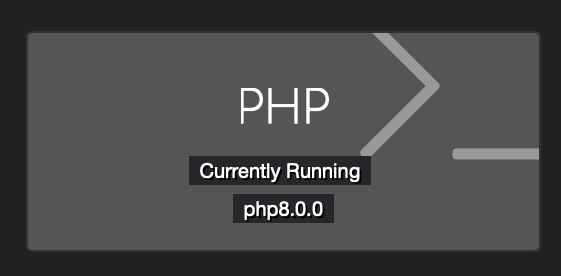
You should now be running PHP8 and can confirm by checking your staff dashboard.
Upgrade to PHP 8.1
sudo apt update
sudo apt -y upgrade
A reboot is important after any upgrade.
sudo systemctl reboot
After a few minutes SSH back into your server
sudo apt update
sudo apt install lsb-release ca-certificates apt-transport-https software-properties-common -y
sudo add-apt-repository ppa:ondrej/php
Hit enter key when prompted to add the repository
sudo apt update
sudo apt install php8.1
sudo apt-get install -qq curl debconf-utils php-pear php8.1-curl php8.1-dev php8.1-gd php8.1-mbstring php8.1-zip php8.1-mysql php8.1-xml php8.1-fpm php8.1-intl php8.1-bcmath php8.1-cli php8.1-opcache
sudo service apache2 stop
Next lets edit NGINX to use new PHP 8.1
sudo nano /etc/nginx/sites-available/default
Find fastcgi_pass unix:/var/run/php/***.sock;
*** will be your site name, unit3d or php8.0 for the most part
Replace fastcgi_pass unix:/var/run/php/***.sock; with fastcgi_pass unix:/var/run/php/php8.1-fpm.sock;.
Save and exit.
Test config sudo nginx -t
*If you didn’t mess up you will see
nginx: the configuration file /etc/nginx/nginx.conf syntax is ok
nginx: configuration file /etc/nginx/nginx.conf test is successful
sudo systemctl reload nginx
sudo systemctl reload php8.1-fpm
sudo apt purge '^php7.4.*'
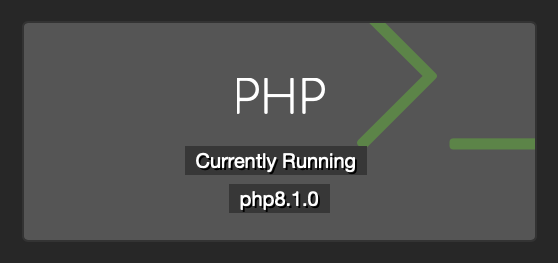
You should now be running PHP8.1 and can confirm by checking your staff dashboard.
Upgrade to PHP 8.2
sudo apt update
sudo apt -y upgrade
A reboot is important after any upgrade.
sudo systemctl reboot
After a few minutes SSH back into your server
sudo apt update
sudo apt install lsb-release ca-certificates apt-transport-https software-properties-common -y
sudo add-apt-repository ppa:ondrej/php
Hit enter key when prompted to add the repository
sudo apt update
sudo apt install php8.2
sudo apt-get install -qq curl debconf-utils php-pear php8.2-curl php8.2-dev php8.2-gd php8.2-mbstring php8.2-zip php8.2-mysql php8.2-xml php8.2-fpm php8.2-intl php8.2-bcmath php8.2-cli php8.2-opcache
sudo service apache2 stop
sudo apt remove apache2
Next lets edit NGINX to use new PHP 8.2
sudo nano /etc/nginx/sites-available/default
Find fastcgi_pass unix:/var/run/php/***.sock;
*** will be your site name, unit3d or php8.1 for the most part
Replace fastcgi_pass unix:/var/run/php/***.sock; with fastcgi_pass unix:/var/run/php/php8.2-fpm.sock;.
Save and exit.
Test config sudo nginx -t
*If you didn’t mess up you will see
nginx: the configuration file /etc/nginx/nginx.conf syntax is ok
nginx: configuration file /etc/nginx/nginx.conf test is successful
sudo systemctl restart nginx
sudo systemctl restart php8.2-fpm
sudo systemctl stop php8.1-fpm
sudo apt purge '^php8.1.*'
sudo apt autoremove
You should now be running PHP8.2 and can confirm by checking your staff dashboard.
NOTE: If you had tuning done on PHP 8.1 you will need to reapply them to new PHP 8.2 configs.
sudo nano /etc/php/8.2/fpm/pool.d/www.conf
sudo nano /etc/php/8.2/fpm/php.ini
Upgrade to PHP 8.3
Save existing php package list to packages.txt file in case you have some additional ones not noted in this guide.
sudo dpkg -l | grep php | tee packages.txt
Add Ondrej’s PPA
sudo add-apt-repository ppa:ondrej/php # Press enter when prompted.
sudo apt update
Install new PHP 8.3 packages
sudo apt install php8.3-common php8.3-cli php8.3-fpm php8.3-{redis,bcmath,curl,dev,gd,igbinary,intl,mbstring,mysql,opcache,readline,xml,zip}
Next lets edit NGINX to use new PHP 8.3
sudo nano /etc/nginx/sites-available/default
Find fastcgi_pass unix:/var/run/php/***.sock;
*** will be your site name, unit3d or php8.2 for the most part
Replace fastcgi_pass unix:/var/run/php/***.sock; with fastcgi_pass unix:/var/run/php/php8.3-fpm.sock;.
Save and exit.
Test config sudo nginx -t
*If you didn’t mess up you will see
nginx: the configuration file /etc/nginx/nginx.conf syntax is ok
nginx: configuration file /etc/nginx/nginx.conf test is successful
sudo systemctl restart nginx
sudo systemctl restart php8.3-fpm
sudo systemctl stop php8.2-fpm
Remove old packages
sudo apt purge '^php8.2.*'
You should now be running PHP8.3 and can confirm by checking your staff dashboard.
NOTE: If you had tuning done on PHP 8.2 you will need to reapply them to new PHP 8.3 configs.
sudo nano /etc/php/8.3/fpm/pool.d/www.conf
sudo nano /etc/php/8.3/fpm/php.ini
Upgrade to PHP 8.4
Save existing php package list to packages.txt file in case you have some additional ones not noted in this guide.
sudo dpkg -l | grep php | tee packages.txt
Add Ondrej’s PPA
sudo add-apt-repository ppa:ondrej/php # Press enter when prompted.
sudo apt update
Install new PHP 8.4 packages
sudo apt install php8.4-common php8.4-cli php8.4-fpm php8.4-{redis,bcmath,curl,dev,gd,igbinary,intl,mbstring,mysql,opcache,readline,xml,zip}
Next lets edit NGINX to use new PHP 8.4
sudo nano /etc/nginx/sites-available/default
Find fastcgi_pass unix:/var/run/php/***.sock;
*** will be your site name, unit3d or php8.3 for the most part
Replace fastcgi_pass unix:/var/run/php/***.sock; with fastcgi_pass unix:/var/run/php/php8.4-fpm.sock;.
Save and exit.
Test config sudo nginx -t
*If you didn’t mess up you will see
nginx: the configuration file /etc/nginx/nginx.conf syntax is ok
nginx: configuration file /etc/nginx/nginx.conf test is successful
sudo systemctl restart nginx
sudo systemctl restart php8.4-fpm
sudo systemctl stop php8.3-fpm
Remove old packages
sudo apt purge '^php8.3.*'
You should now be running PHP8.4 and can confirm by checking your staff dashboard.
NOTE: If you had tuning done on PHP 8.3 you will need to reapply them to new PHP 8.4 configs.
sudo nano /etc/php/8.4/fpm/pool.d/www.conf
sudo nano /etc/php/8.4/fpm/php.ini
UNIT3D open source: how to share your source code
A guide by EkoNesLeg
1. Introduction
As part of complying with the GNU Affero General Public License (AGPL), sites that modify and distribute UNIT3D are required to share their source code. This guide provides an easy process for creating a sanitized tarball of your modified source code and encourages you to create and update an “Open Source” page on your site to make this code available.
2. Setting up tarball creation
2.1 Exclude sensitive files
To create a tarball that includes only the modified source code and excludes sensitive files like configuration data, you can take advantage of the existing .gitignore file in your UNIT3D deployment. Here’s how:
-
Reference
.gitignorefor exclusions:If your production environment has the original
.gitignorefile that already lists the files and directories you don’t want to include in version control, you can use it to exclude those same items from your tarball:ln -s /var/www/html/.gitignore /var/www/html/.tarball_exclude -
Additional exclusions (if needed):
If additional exclusions are needed, or if you’ve removed the git environment from your production environment, you should manually add the exclusions to the
.tarball_excludefile:nano /var/www/html/.tarball_excludeAdd the following to the file:
.env
node_modules
storage
vendor
public
*.gz
*.lock
UNIT3D-Announce
unit3d-announce
laravel-echo-server.json
config
.DS_Store
.idea
.vscode
nbproject
.phpunit.cache
.ftpconfig
storage/backups
storage/debugbar
storage/gitupdate
storage/*.key
laravel-echo-server.lock
.vagrant
Homestead.json
Homestead.yaml
npm-debug.log
_ide_helper.php
supervisor.ini
.phpunit.cache/
.phpstan.cache/
caddy
frankenphp
frankenphp-worker.php
data
config/caddy/autosave.json
build
bootstrap
*.sql
*.DS_Storecomposer.lock
*.swp
coverage.xml
cghooks.lock
*.pyc
emojipy-*
emojipy.egg-info/
lib/js/tests.html
lib/js/tests/npm-debug.log
2.2 Create the tarball
-
Create a script to generate the tarball:
nano /var/www/html/create_tarball.sh -
Add the following content to the script:
#!/bin/bash TARBALL_NAME="UNIT3D_Source_$(date +%Y%m%d_%H%M%S).tar.gz" TAR_EXCLUDES="--exclude-from=/var/www/html/.tarball_exclude" tar $TAR_EXCLUDES -czf /var/www/html/public/$TARBALL_NAME -C /var/www html # Create a symlink to the latest tarball ln -sf "/var/www/html/public/$TARBALL_NAME" "/var/www/html/public/UNIT3D_Source_LATEST.tar.gz" -
Make the script executable:
chmod +x /var/www/html/create_tarball.sh -
Run the script manually whenever you update your site:
/var/www/html/create_tarball.sh
3. Creating and updating the “Open source” Page
-
Create an “Open source” page:
Go to your site’s
/dashboard/pagessection and create a new page called “Open source.” -
Add the following Markdown content to the page:
## Open source We comply with the UNIT3D's GNU Affero General Public License (AGPL) by sharing our modified source code. You can download the latest version of our source code below. - **[Download Latest Source Code](/UNIT3D_Source_LATEST.tar.gz)** ### License information Our site runs on a modified version of [UNIT3D](https://github.com/ReUnit3d/ReUnit3d). For more details on the license, visit the [GNU AGPL License](https://github.com/ReUnit3d/ReUnit3d/blob/master/LICENSE). -
Manually update this page whenever you update your site:
After running the tarball creation script, update the page content if necessary to reflect any changes or additional notes about the modifications made.
4. Encouraging compliance and contributions
By publicly sharing your modified source code, you not only comply with the AGPL but also contribute to the open-source community. We encourage sites to contribute their changes back to the upstream repository by submitting pull requests, which helps improve UNIT3D for everyone.
Translations
UNIT3D uses weblate for translations. You can easily contribute to translations at https://hosted.weblate.org/engage/unit3d/. Use the following graphic to see if your native language could use some work.

Torrent API
Introduction
UNIT3D is offering a new {JSON:API}. If you haven’t already head over to your profile. Hover Settings nav and click API Key. From there you can generate or reset your API Key.
Ecosystem
Torrent auto uploaders
- L4G’s Upload Assistant — a simple tool to take the work out of uploading
- GG Bot Upload Assistant — a torrent auto uploader to take the manual work out of uploading
API authentication
To authenticate with UNIT3D, pass your API token as a Bearer token in the Authorization header of the request:
$response = $client->request('POST', '/api/torrents', [
    'headers' => [
        'Authorization' => 'Bearer YOUR_TOKEN_HERE',
        'Accept' => 'application/json',
    ],
]);
API endpoints
Upload a torrent
Endpoint: POST /api/torrents/upload
Parameters:
| Parameter | Type | Description |
|---|---|---|
torrent | file | .torrent file |
nfo | file | .nfo file |
name | string | Torrent name |
description | string | Torrent description |
mediainfo | string | MediaInfo text output |
bdinfo | string | BDInfo quick summary output |
category_id | int | Category ID |
type_id | int | Type ID |
resolution_id | int | Resolution ID |
region_id | int | Region ID |
distributor_id | int | Distributor ID |
season_number | int | Season number (TV only) |
episode_number | int | Episode number (TV only) |
tmdb | int | TMDB ID |
imdb | int | IMDB ID |
tvdb | int | TVDB ID |
mal | int | MAL ID |
igdb | int | IGDB ID (Games only) |
anonymous | bool | Should the uploader’s username be hidden? |
personal_release | bool | Is the torrent’s content created by the uploader? |
internal* | bool | Is the torrent an internal release? |
refundable* | bool | Is the torrent refundable? |
featured* | bool | Should the torrent be featured on the front page? |
free* | int | Percentage (0-100) of the torrent’s size that is free to leech |
fl_until* | int | Number of days the torrent should offer freeleech |
doubleup* | bool | Should the torrent offer double upload? |
du_until* | int | Number of days the torrent should offer double upload |
sticky* | bool | Should the torrent be stickied on the torrent index? |
mod_queue_opt_in* | bool | Should the torrent be sent to moderation queue? |
*Only available to staff and internal users.
Fetch a torrent
Endpoint: GET /api/torrents/:id
Example:
https://unit3d.site/api/torrents/39765?api_token=YOURTOKENHERE
Fetch torrents index (latest 25 torrents)
Endpoint: GET /api/torrents
Example:
https://unit3d.site/api/torrents?api_token=YOURTOKENHERE
Filter torrents
Endpoint: GET /api/torrents/filter
Optional Parameters:
| Parameter | Type | Description |
|---|---|---|
perPage | int | Amount of results to return per page (default: 25) |
sortField | string | Field to sort by |
sortDirection | string | Direction to sort the results. One of: asc (Ascending), desc (Descending) (default: asc) |
name | string | Filter by the torrent’s name |
description | string | Filter by the torrent’s description |
mediainfo | string | Filter by the torrent’s MediaInfo |
bdinfo | string | Filter by the torrent’s BDInfo |
uploader | string | Filter by the torrent uploader’s username |
keywords | string | Filter by any of the torrent’s keywords (Multiple keywords can be comma-separated) |
startYear | int | Return only torrents whose content was released after or in the given year |
endYear | int | Return only torrents whose content was released before or in the given year |
categories | int[] | Filter by the torrent’s category |
types | int[] | Filter by the torrent’s type |
resolutions | int[] | Filter by the torrent’s resolution |
genres | int[] | Filter by the torrent’s genre |
tmdbId | int | Filter by the torrent’s TMDB ID |
imdbId | int | Filter by the torrent’s IMDB ID |
tvdbId | int | Filter by the torrent’s TVDB ID |
malId | int | Filter by the torrent’s MAL ID |
playlistId | int | Return only torrents within the playlist of the given ID |
collectionId | int | Return only torrents within the collection of the given ID |
free | int | Filter by the torrent’s freeleech discount (0-100) |
doubleup | bool | Filter by if the torrent offers double upload |
featured | bool | Filter by if the torrent is featured on the front page |
refundable | bool | Filter by if the torrent is refundable |
highspeed | bool | Filter by if the torrent has seeders whose IP address has been registered as a seedbox |
internal | bool | Filter by if the torrent is an internal release |
personalRelease | bool | Filter by if the torrent’s content is created by the uploader |
alive | bool | Filter by if the torrent has 1 or more seeders |
dying | bool | Filter by if the torrent has 1 seeder and has been downloaded more than 3 times |
dead | bool | Filter by if the torrent has 0 seeders |
file_name | string | Filter by the name of a file within a torrent |
seasonNumber | int | Filter by the torrent’s season number |
episodeNumber | int | Filter by the torrent’s episode number |
Example:
https://unit3d.site/api/torrents/filter?tmdbId=475557&categories[]=1&api_token=YOURTOKENHERE
Personal account info
Endpoint: GET /api/user
Response:
{"username":"UNIT3D","group":"Owner","uploaded":"50 GiB","downloaded":"1 GiB","ratio":"50","buffer":"124 GiB","seeding":0,"leeching":0,"seedbonus":"0.00","hit_and_runs":0}
Example:
https://unit3d.site/api/user?api_token=YOURTOKENHERE
Torrent Requests API Documentation
Endpoints
Filter Requests
GET /api/requests/filter
Filter, sort, and paginate torrent requests.
Query Parameters
| Parameter | Type | Description | Default |
|---|---|---|---|
name | string | Search by name | - |
category_id | int[] | Filter by category ID(s) | - |
type_id | int[] | Filter by type ID(s) | - |
resolution_id | int[] | Filter by resolution ID(s) | - |
tmdb | integer | Filter by TMDB ID | - |
imdb | integer | Filter by IMDB ID | - |
tvdb | integer | Filter by TVDB ID | - |
mal | integer | Filter by MAL ID | - |
filled | boolean | Filter by filled status | - |
claimed | boolean | Filter by claimed status | - |
perPage | integer | Items per page (max: 100) | 25 |
Example Request
curl -X GET "https://unit3d.site/api/requests/filter?tmdb=2508" \
-H "Authorization: Bearer YOUR_API_KEY_HERE" \
-H "Accept: application/json"
Example Response
{
  "data": [
    {
      "id": 1,
      "name": "Mind Your Language S04",
      "description": "Example description.",
      "category_id": 2,
      "type_id": 2,
      "resolution_id": 6,
      "user": "anonymous",
      "tmdb": 2508,
      "imdb": 75537,
      "tvdb": 78286,
      "mal": null,
      "igdb": null,
      "season_number": 4,
      "episode_number": 0,
      "bounty": 125000,
      "status": "unfilled",
      "claimed": false,
      "created": "2025-08-01T11:02:22+00:00",
      "updated_at": "2025-08-21T12:40:27+00:00"
    }
  ],
  "links": {
    "first": "https://unit3d.site/api/requests/filter?page=1",
    "last": "https://unit3d.site/api/requests/filter?page=1",
    "prev": null,
    "next": null
  },
  "meta": {
    "current_page": 1,
    "from": 1,
    "last_page": 1,
    "links": [
      {
        "url": null,
        "label": "« Previous",
        "active": false
      },
      {
        "url": "https://unit3d.site/api/requests/filter?page=1",
        "label": "1",
        "active": true
      },
      {
        "url": null,
        "label": "Next »",
        "active": false
      }
    ],
    "path": "https://unit3d.site/api/requests/filter",
    "per_page": 25,
    "to": 1,
    "total": 1
  }
}
Get Single Request
GET /api/requests/{id}
Filter information on a single request ID.
Parameters
| Parameter | Type | Description |
|---|---|---|
id | integer | Torrent request ID |
Example Request
curl -X GET "https://unit3d.site/api/requests/1" \
-H "Authorization: Bearer YOUR_API_KEY_HERE" \
-H "Accept: application/json"
Example Response
{
  "data": {
    "id": 1,
    "name": "Mind Your Language S04",
    "description": "Example description.",
    "category_id": 2,
    "type_id": 2,
    "resolution_id": 6,
    "user": "anonymous",
    "tmdb": 2508,
    "imdb": 75537,
    "tvdb": 78286,
    "mal": null,
    "igdb": null,
    "season_number": 4,
    "episode_number": 0,
    "bounty": 125000,
    "status": "unfilled",
    "claimed": false,
    "created": "2025-08-01T11:02:22+00:00",
    "updated_at": "2025-08-21T12:40:27+00:00"
  }
}
Response Fields
| Field | Type | Description |
|---|---|---|
id | integer | Request ID |
name | string | Request title |
description | string | Request description |
category_id | integer | Category ID |
type_id | integer | Release type ID, null if set to “any” |
resolution_id | integer | Resolution ID, null if set to “any” |
user | string | Username of requester or “anonymous” |
tmdb | integer | TMDB ID |
imdb | integer | IMDB ID |
tvdb | integer | TVDB ID |
mal | integer | MyAnimeList ID |
igdb | integer | IGDB ID |
season_number | integer | Season number |
episode_number | integer | Episode number |
bounty | integer | Total bounty amount |
status | string | Request status, unfilled, claimed, pending, or filled |
claimed | boolean | Whether or not the request is claimed |
claimed_by | string | Username of claimer, “anonymous”, null if unclaimed |
filled_by | string | Username of filler, “anonymous”, null if unfilled |
created | string | Creation date |
updated_at | string | Last update date |